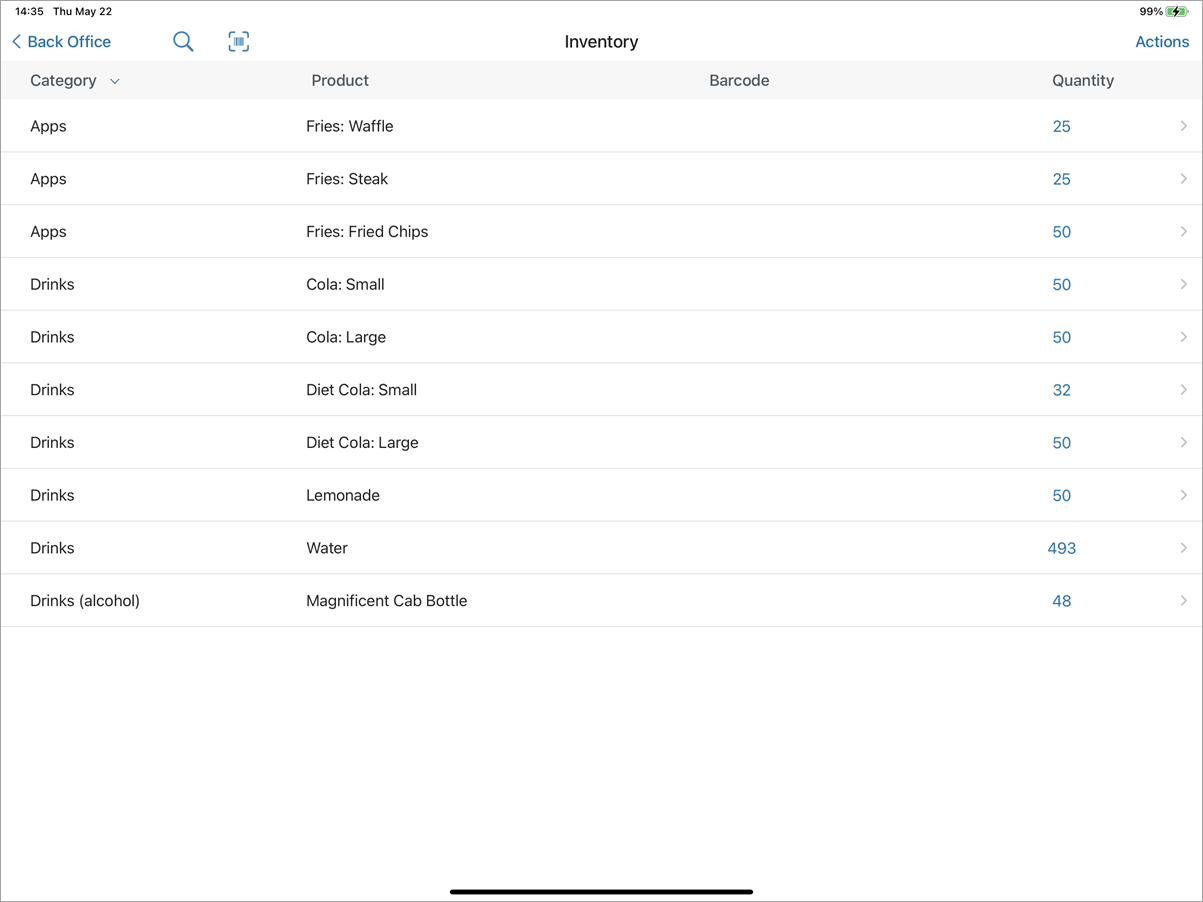
Navigate to Back Office > Inventory to manage inventory levels and conduct a stock take. Only products with Inventory Tracking enabled will appear in this section.
wh
When you select a product in the inventory section of the back office, you will be brought to a screen displaying the actions associated with that specific product. By default, the Inventory Log will show actions for the past 7 days. The maximum date range allowed is 90 days.

Actions and Details
There are 4 types of actions that the Inventory Log will track. They are:
|
Add
|
This represents when inventory is added. This can be done manually, through Stock Take, Purchase Orders, etc.
|
|
Remove
|
This represents when inventory is removed. This can be done manually, through a Stock Take.
|
|
Sale
|
This represents when inventory is removed via a Sale.
|
|
Return
|
This represents when inventory is added via a Return.
|
You can view all actions associated with the item, or you can sort by a specific action by selecting the 'All Actions' menu in the top left of the screen.
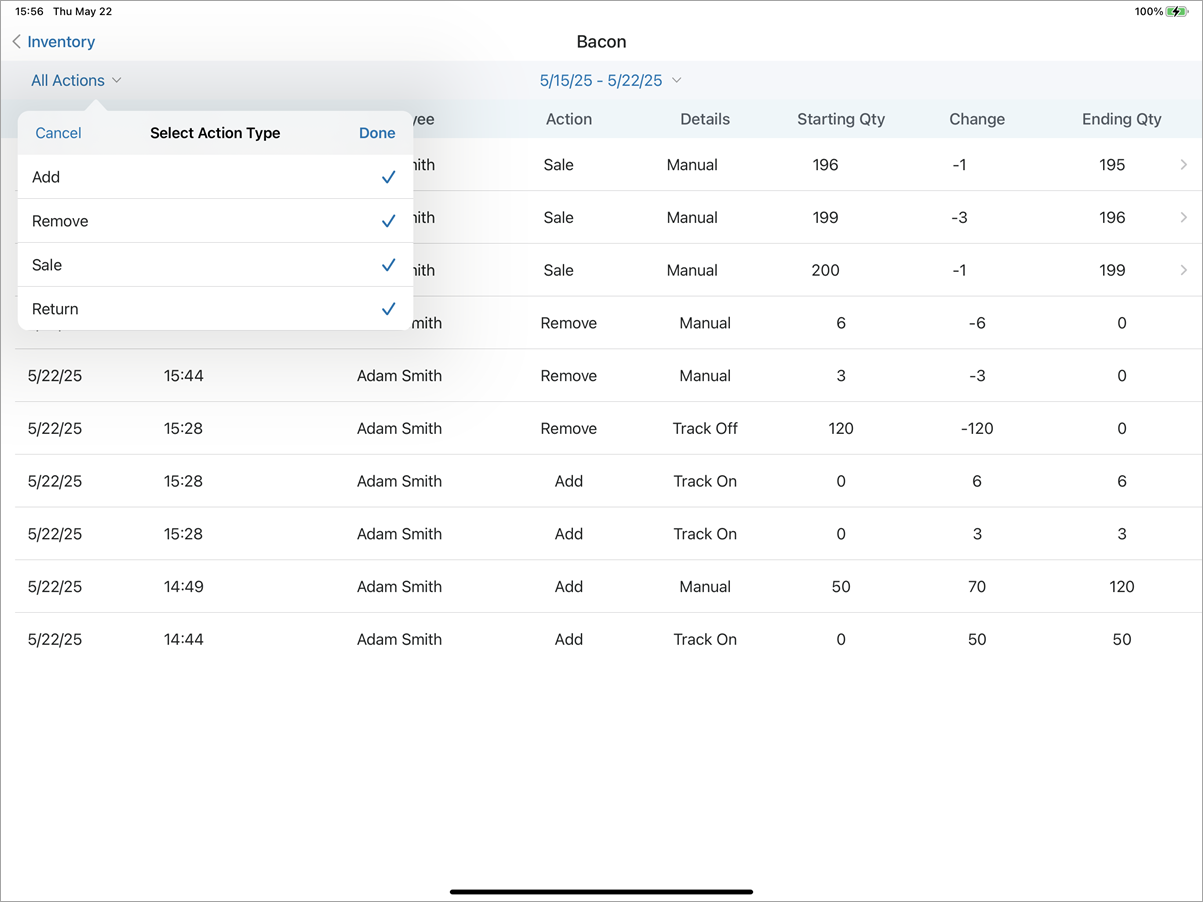
From this view, you can open an order from which an item is to be returned by selecting the > button next to the order, which will then open the order where you can perform the return.

The inventory log is also where you can conduct a stock take. Refer to our guide on performing a stock take here.